Overview of the set of homeworks
This page contains useful info. that can help you do your homework assignments. It also provides some explanation of each stage (the 6 HWs together lead to your implementing a simple, but useful and complete scanline renderer, in steps that build on each other).
First, a note on programming languages/platforms. As mentioned in class, you have three choices:
- C/C++
- Processing
- Javascript
Here is a little bit on each [note - the Processing and canvas code fragments are results of modifying and adding to bits of existing code on the web].
C/C++
This is how these homeworks have 'always' been done (by students in the past). The .zip file provided for each assignment contains files that are C++-based, to be used with Visual Studio. Alternately, you can use C++ on Macs, or on USC's 'aludra' workstations. In all cases, you'd be coding in vanilla C++, without the use of ANY additional publicly available library, including but not limited to OpenGL, image-reading/writing, etc. You are only allowed to set pixel values in a PPM image file structure, and write it out as a viewable (eg. using IrfanView, 'xv' and many other image readers) .ppm image file.
Processing
Processing is an extremely simple, artist-friendly programming language that is based on Java. A Javascript port is available as well. If you use Processing, be aware that you CANNOT use any built-in function for drawing lines, polys, etc, nor can you use OpenGL (a version of which comes with Processing). You can ONLY use a setPixel() call, defined as shown below:
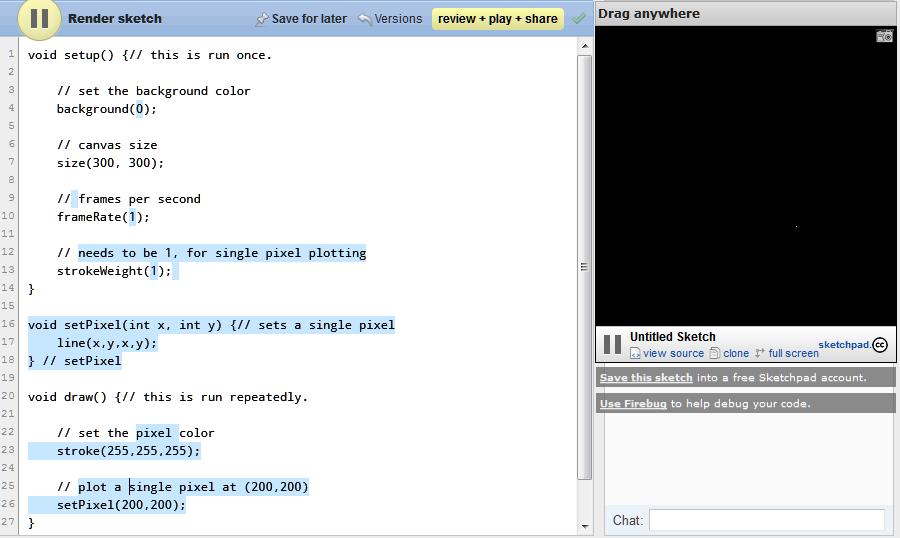
As you can see from the above, we define setPixel as
void setPixel(int x, int y) {
  line(x,y,x,y);
}
In other words, we use the built-in line() call to draw a single-pixel line, ie. to plot a single pixel (which you can see on the right, as a white pixel against a black bg). To repeat, all your HWs should only use setPixel() as defined above, no additional Processing or extra library calls are allowed.
Note - you'll need to 'translate' the intent of each homework into Processing reqs. Your TA can assist with this.
Javascript/canvas
The HTML5 spec includes a 'canvas' element, which is a 2D surface includable in any web page. On such a 2D surface, the spec defines a variety of primitives such as line, arc, rectangle, Bezier curve, text, etc. For your HWs, you are ONLY allowed to use a simple point plotting call, as defined below:
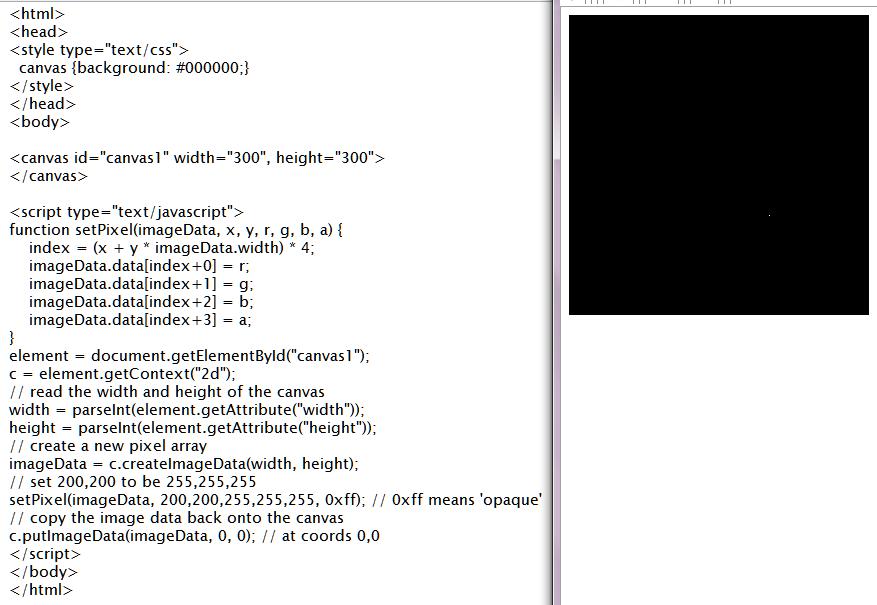
As you can see, setPixel is:
function setPixel(imageData, x, y, r, g, b, a) {
    index = (x + y * imageData.width) * 4;
    imageData.data[index+0] = r;
    imageData.data[index+1] = g;
    imageData.data[index+2] = b;
    imageData.data[index+3] = a;
}
Again, you cannot use any other built-in call (eg. rect()), or additional Javascript library calls, including but limited to WebGL, other rendering calls, etc.
Note - as with Processing above, you need to translate each HW's reqs into Javascript/canvas equivalents (you can ask your TA to help).