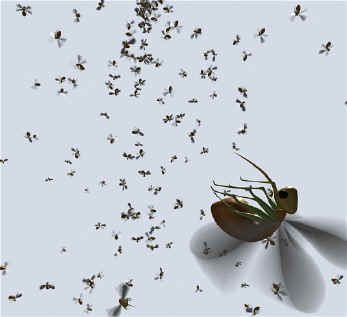
To create a particle instancer:
- Setup one or more models for instancing. To ensure that MTOR's
instancing matches Maya's make sure that the top level node has no
rotational transforms. If you need to reorient your object, you
should create a grouping node and perform orientations below that
node.
- Create a particleShape node. Usually you'll do this by simply
creating a particle emitter but you can also create particles in other
ways.
- Select the particleShape node and the objects you wish to
instance. Now invoke Maya's Instancer command (found in the
Particles menu). A new instancer node should now appear in your
scene. The instancer node is responsible for describing the high level
instancing behavior and maintaining connections between the
particleShape nodes and the instanced objects. At right, you can
see the controls of the instancer node. Here you can
choose whether and how to cycle between multiple shapes used for
instancing. In our example, we're only instancing a single
object - bugger.
- Next you should edit the instancer attributes associated with the
particleShape node. This is where you establish most of the
options governing the position and orientation of each instance.
And it is here that some compatibility issues have yet to be resolved.
If you limit your choices to specifying a subset of: RotationType,
Rotation, AimDirection and AimPosition, you should get acceptable
results. Obscure interactions between AimAxis, AimUpAxis and
AimWorldUp causes MTOR a slight case of dispepsia.
|

 |